Framer Tutorials9 June 20252 min read
How to Make a Multilanguage Website in Framer (Step-by-Step)
Learn how to build a multilingual website in Framer using native localization tools, auto-translation, and SEO-ready structures.
Want to Build a Website in Multiple Languages?
If you're a business owner, freelancer, or designer trying to reach a global audience, having your site available in multiple languages can make a huge difference. And now with Framer, you can do that without using external plugins or duplicate pages.
This post explains exactly how to make a multilanguage website in Framer, how the feature works, and how you can translate your entire site manually or with AI even if you’ve never done this before.
Let’s get started.
Framer Now Supports Native Localization
Framer’s new localization feature allows you to create different language versions of the same website, all managed in one place.
Here’s what’s possible:
- Switch between languages with a toggle or flag
- Translate text, buttons, CMS content, meta info, and even code
- Preview each version inside Framer
- Keep your layout, animations, and design consistent across all languages
- Get SEO-ready URLs with
hreflangtags for search engines
No third-party plugins, no duplicated projects. Just clean, fast, multilingual sites built the right way.
How Localization Works in Framer
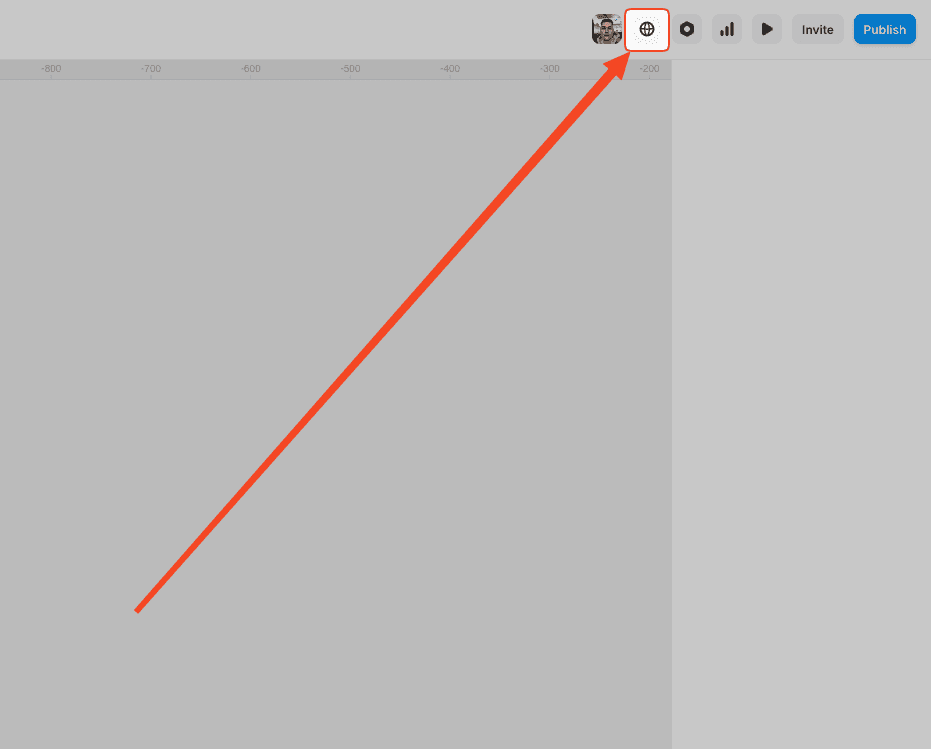
Step 1: Enable Localization
In your project settings, turn on the Localization feature.
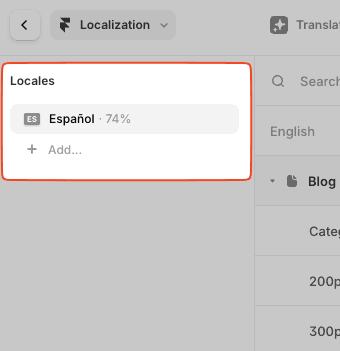
You’ll start with your default language (usually English) and can then add one or more locales (e.g. Spanish, French, Portuguese).
Step 2: Add Locales
Framer supports two locales on Pro and Business plans. If you need more, you’ll need an Enterprise plan, which offers unlimited locales.
Each additional locale on Pro/Business costs around ARS 9,445 (subject to local pricing).
Step 3: Translate Your Content
You have three ways to handle translation:
- Manual TranslationPerfect if you want full control and accuracy. Just switch to the new locale and replace each piece of text with the translated version.
- Google Translate IntegrationUse tools like Google Translate externally to copy-paste content. It’s faster, but not always perfect.
- Framer AI AutotranslateThis is the game-changer. You can click one button and have Framer AI auto-translate your entire site into the selected locale in seconds. Then, make manual tweaks as needed.
Step 4: Publish and You’re Live
Framer automatically creates separate URLs for each language (e.g. /es, /fr), and sets up proper SEO tags to help your content rank in all regions.
It also adds lang attributes and alternate language references for Google, improving your chances of showing up in local search results.
Framer Localization Pricing Summary
And don’t forget: with a Pro Yearly Plan, you can get 3 months free using code partner25proyearly.👉 Claim the offer here
Why This Feature Matters
If you serve international clients, a bilingual or multilingual site gives your brand more reach, more credibility, and better search visibility.
Whether you're in real estate, SaaS, health, education, or any service business—a multilingual website builds trust.
Now, Framer makes that both possible and painless.
